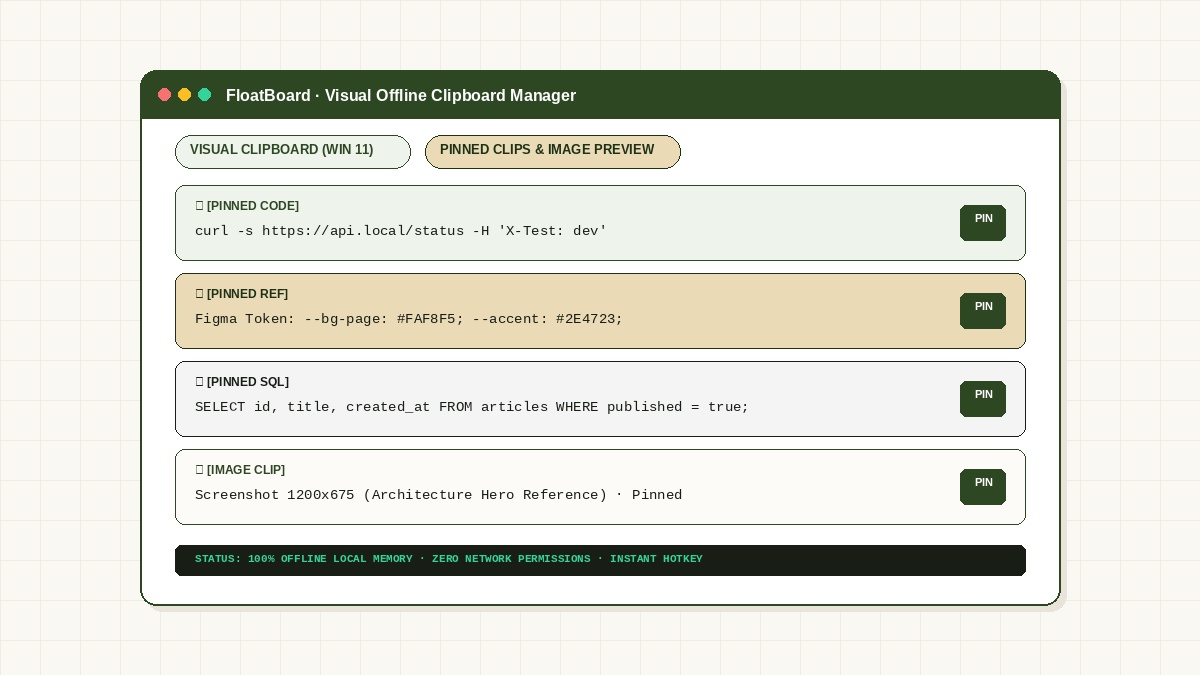
The limitations of Windows 11 built-in clipboard (Win + V)
Windows 11 includes a native clipboard history feature accessible via Win + V. While it provides basic multi-clip storage, it comes with fundamental daily workflow friction:
- Disappearing Overlay: The moment you click away or paste into your editor, the Windows clipboard overlay completely closes. You cannot leave it visible while typing multiple fields.
- Unreliable Cloud Sync: If "Sync across your devices" is accidentally enabled in Windows Settings, confidential snippets and passwords get copied to Microsoft servers.
- Loss of Unpinned Items: Rebooting your machine or experiencing an unexpected crash purges your unpinned copied history.
- Poor Image Rendering: Graphical snippets are rendered as tiny, low-contrast previews that make it impossible to distinguish between similar UI mockups.
Why 100% offline local privacy is mandatory for developers and teams
Modern development frequently involves staging secrets, such as Bearer sec_live_9942a781 tokens, database connection URIs, and confidential client customer records. Pasting these items through SaaS clipboard apps that use cloud telemetry violates corporate data-loss prevention (DLP) rules and GDPR compliance.
A proper offline clipboard manager operates with zero network permissions. All clipboard history is stored locally in an encrypted or sandboxed file on your own drive, never touching an external server.
FLOATBOARD.
Stop paying the Alt-Tab tax. Keep active notes, API keys, and reference screenshots pinned permanently above your browser or code editor. 100% offline local memory.
FloatBoard: Visual preview, persistent pinning, and always-on-top layout
FloatBoard bridges the gap between a temporary clipboard log and a durable desktop scratchpad:
- Pinned Working Sets: Mark your active API endpoints and reusable shell commands as Pinned so they stay permanently accessible until you deliberately dismiss them.
- Large Visual Thumbnails: Inspect captured screenshots at full clarity before pasting, preventing mistakes when comparing multiple UI mockups.
- Floating Dock Mode: Keep the clipboard docked in the corner of your screen while migrating data between web dashboards or spreadsheets.
- Universal Shortcut: Summon and dismiss your board with a single customizable hotkey.
Frequently Asked Questions about Offline Clipboard Managers
Does FloatBoard upload my copied clipboard history to the cloud?
Never. FloatBoard is 100% offline software with zero network telemetry or tracking. Your clipboard history, text notes, and images reside entirely in local storage on your device.
How does FloatBoard handle image clips compared to text clips?
FloatBoard displays high-resolution thumbnails for copied images and screenshots, allowing you to preview visual details side by side with code snippets and text notes.
What platforms does FloatBoard support?
FloatBoard runs natively on Windows 11, Windows 10, macOS (Apple Silicon & Intel), and Linux (Ubuntu, Debian, Fedora, Arch Linux, Snap & AppImage). Download FloatBoard free.