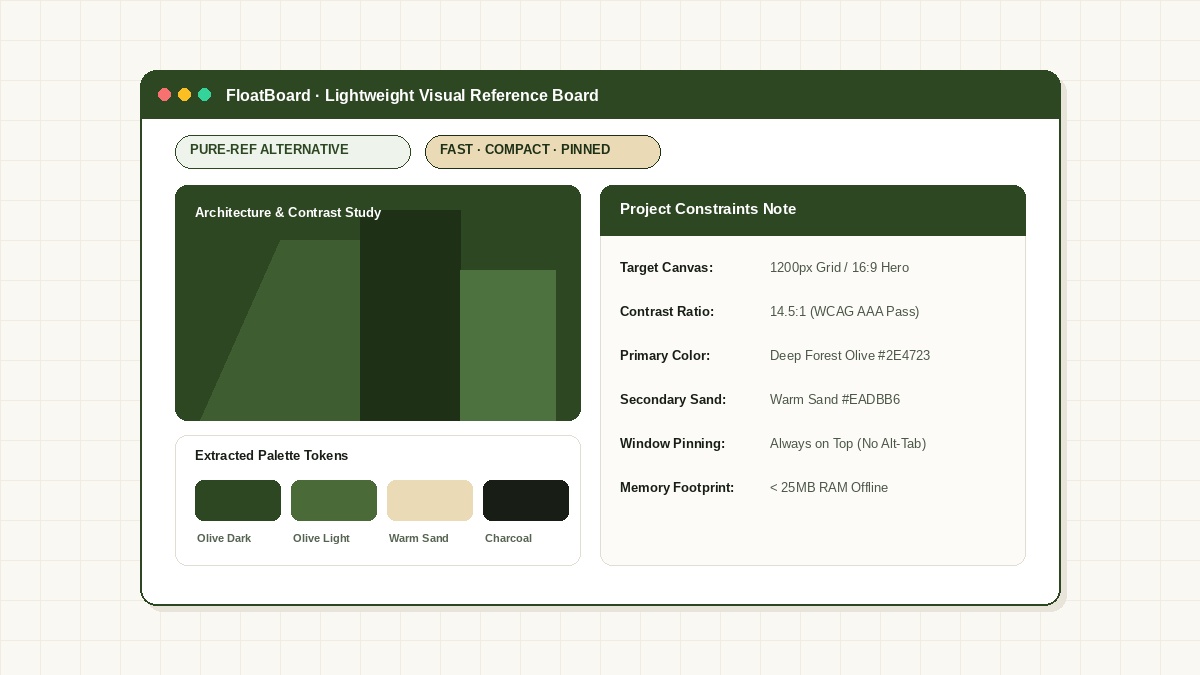
When an infinite canvas becomes workflow clutter
Infinite moodboard software excels when compiling hundreds of anatomical sketches or cinematic stills for high-end character production. But for UI designers, web developers, and day-to-day graphic artists, infinite canvas tools introduce distinct pain points:
- Navigation Overhead: Panning and zooming across a massive canvas just to double-check a single button contrast ratio wastes time.
- Lack of Structured Text Notes: PureRef treats text as an afterthought—you cannot easily format API tokens, responsive breakpoints, or client copy constraints.
- Memory Usage: Loading gigabytes of embedded high-resolution graphics strains laptop batteries and GPU VRAM when running alongside Blender or Unreal Engine.
FloatBoard: Focused, lightweight reference tiles with text integration
FloatBoard approaches visual reference from the perspective of working sets rather than infinite archives. Instead of throwing fifty unorganized images onto a canvas, you pin the exact two to four assets you are actively designing against.
Key differences that speed up your creative workflow:
- Native Text & Token Cards: Keep your design system tokens (e.g.
--bg-page: #FAF8F5and--accent-olive: #2E4723) directly beside your visual crops. - Seamless Clipboard Capture: Copy an image or UI detail from Chrome or Figma, and FloatBoard immediately detects the crop without requiring manual file saves.
- Compact Overlay: FloatBoard docks cleanly in the corner of your screen, letting you sketch in Photoshop, Procreate, or Figma without obstructing your main workspace.
FLOATBOARD.
Stop paying the Alt-Tab tax. Keep active notes, API keys, and reference screenshots pinned permanently above your browser or code editor. 100% offline local memory.
Step-by-step: Setting up a focused reference tile for a web hero section
Here is how a senior product designer sets up a focused reference board in under thirty seconds:
- Crop the specific visual relationship: Use your operating system shortcut (e.g.
Win + Shift + S) to capture the exact layout contrast or typography hierarchy you want to study. - Drop the crop into FloatBoard: The snippet appears as a floating tile above your editor.
- Attach constraints: Add a quick note below the crop: Hero grid: 1200px max-width, 16px radius, warm olive tone #2E4723.
- Toggle Always-on-Top: Keep the tile anchored in the upper corner while tweaking CSS in VS Code or adjusting vectors in Figma.
Frequently Asked Questions about PureRef Alternatives
Is FloatBoard a complete replacement for PureRef?
FloatBoard is designed for focused reference sets (2 to 8 items) with rich text notes and clipboard capture. If you need a giant moodboard with hundreds of high-resolution textures, PureRef remains excellent for that specific role.
Can I copy colors and text from FloatBoard?
Yes. FloatBoard features native clipboard history and text scratchpads, making it effortless to copy hex colors, font names, and measurements directly into your code or design tool.
Does FloatBoard require an active internet connection?
No. FloatBoard operates 100% offline with zero cloud telemetry, ensuring that unreleased client designs and proprietary mockups remain strictly on your local disk.